|
|
10月8号更新了最新的XARD V44版本
Simply copy the scripts to the Scripts folder in MT4 and copy the entire XU-v44 folder to the Indicators folder in MT4 (delete the old one) and don't forget to copy the XU v44-Setup+DASH.tpl template file to the templates folder in MT4.
Restart MT4, choose the new XU v44-Setup+DASH template.
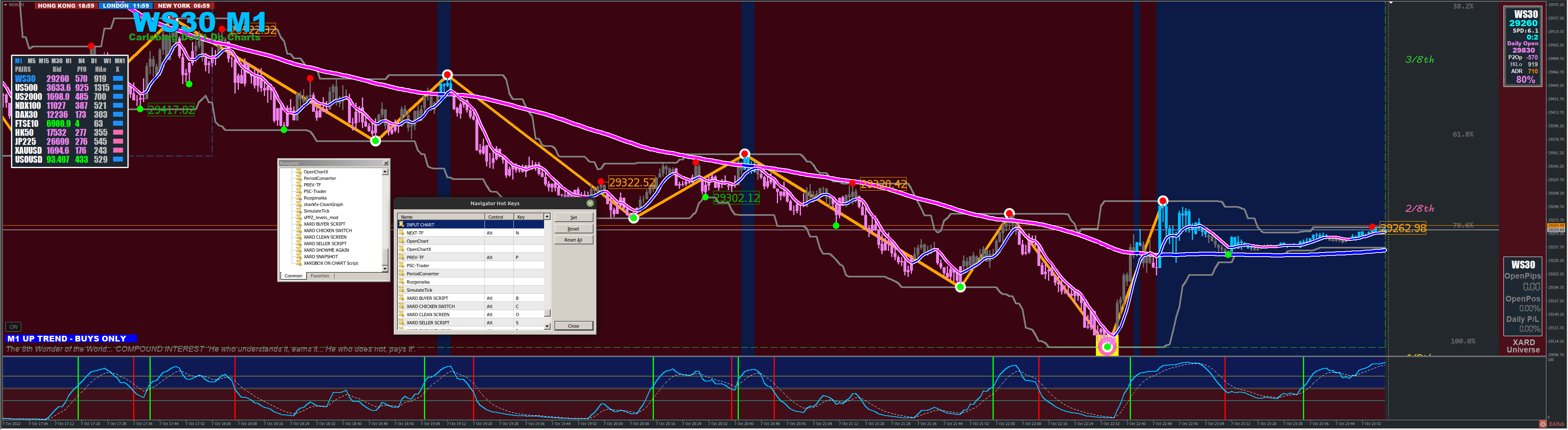
Now press ctrl+N (to bring up the navigator panel on the screen), scroll down and double-click on the Scripts folder, right-click on XARD BUYER script and choose Set Hotkey and add alt keys in the column and the corresponding letter B, C & S as in the picture below and hit the SET button to save the changes.
Now left mouse click on your chart (to select that chart) and press ALT+C, text should appear above the DASH saying XARD CHICKEN SWITCH HIT - OPEN TRADES ON THIS CHART CLOSED. At this point, the Chicken switch script has also taken a snapshot of your chart and stored it in your MT4... MQL4/Files folder.
The ALT+B (Xard BUYER) script should now work as well as ALT+S (XARD SELLER) script.
Also, your DASH now fully works nice and fast with TF change and Symbol selection fully operational
 |
|



 发表于 2026-8-21 10:52:00
