|
|
Open lock EA https://www.mql5.com/en/market/product/28859
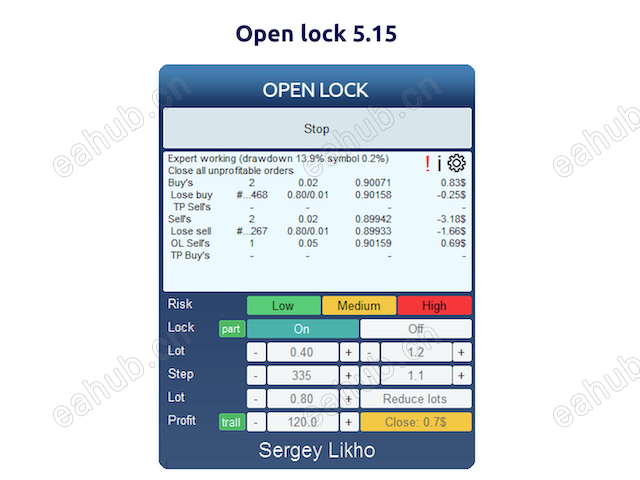
The Expert Advisor helps reduce the account drawdown.To do this, the losing deal is split into multiple small parts, each of these parts is closed separately.The EA can interact with other experts. For example, when a certain drawdown is reached, Open Lock can disable the other expert and start working with its orders.Methods used by the EALocking to prevent a drawdown increaseAveraging orders used to cover the lossPartial closure to reduce the load on deposit
Averaging orders are opened with a small lot so as not to load the deposit.Profit of these orders is used to partially close the losing position.Recommendations on setting up and using Open Lock are described in the blog
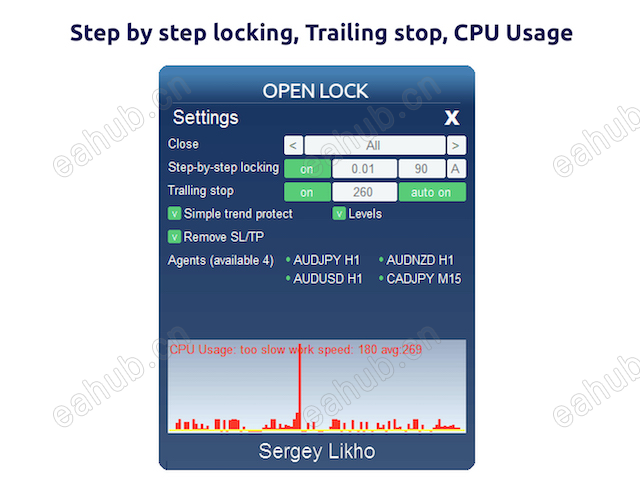
Expert Advisor ParametersLanguage - interface language of the control panelMagic Number - unique identifier of averaging orders. It must not coincide with the magic numbers of other EAsStart work - when to start working
At startup - right after startingBy drawdown level - after reaching the drawdown level
Drawdown in currency - drawdown value in the deposit currency (it must be specified in case 'By drawdown level' is selected) Stop another advisors - stop the operation of other experts in the terminal (works only when the drawdown level is reached)
Not use - disable this featureClose chart with same symbol (for single currency advisor's) - close charts of the current symbol. Charts of other symbols will not be closedClose all other charts (for multicurrency advisor's) - close other charts to disable the operation of other experts
Action when the risk limit is reached - actions for critically low level of free margin ( action is activated 30 seconds after the drawdown is reached )
nothingLocking all positions and stopСlose all position and stop
Equity level in currency - equity level, below which the actions from the previous parameter are triggered (if 0, not used)Equity level in percent - drawdown percentage. If higher than 0, and Action when the risk limit is reached - None, the drawdown value will be displayed on the control panel Maximal lot in average ord (0-not used) - the maximum lot to be opened by the EA in an averaging order. If 0, the lot size is not limitedMaximal number average ord in one direction (0-not used) - the maximum number of averaging orders in one directionMaximal step (0-not used) - the maximum step (in pips) that can be set between averaging orders. If 0, the step is not limited. This parameter is only used if the dynamic step is enabledSettings - how to set the EA parameters
Use control panelUse expert inputs - parameters must be set in the EA inputs. This mode should be used when working with VPS by MetaQuotes
testingWhen you start the Expert Advisor, it opens a deal and then tries to close it with a profit.To open additional market orders, you can use buttons on the control panel.
 |
|



 发表于 2026-8-16 06:19:59
