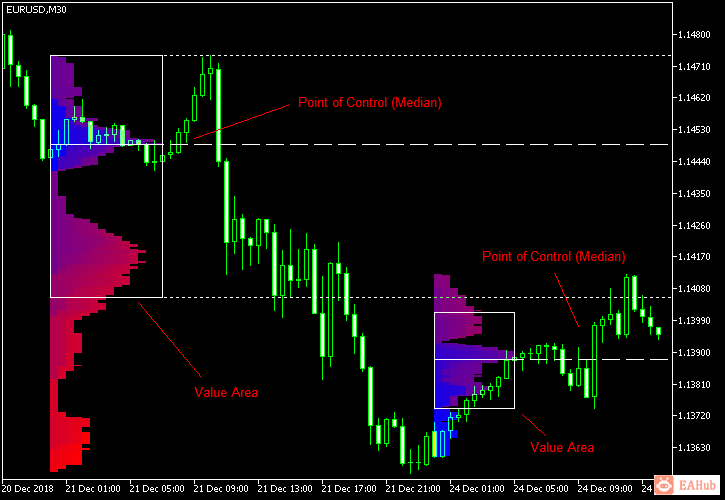
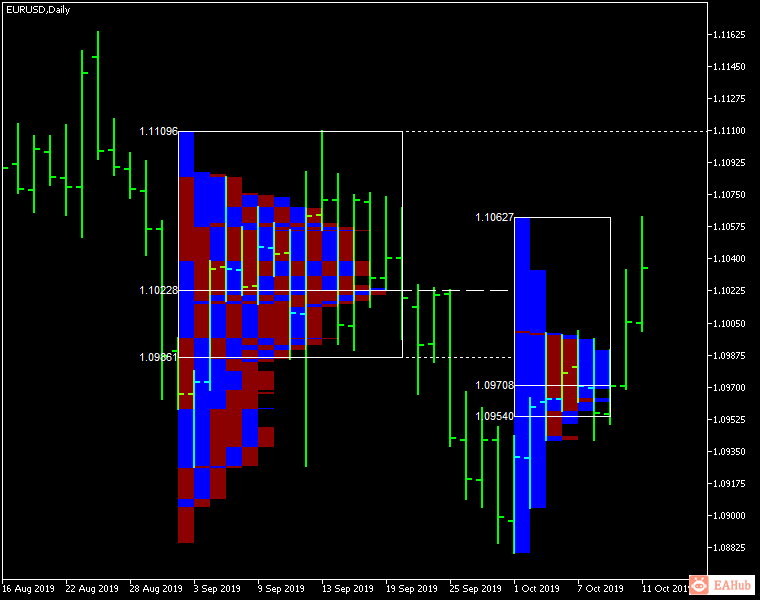
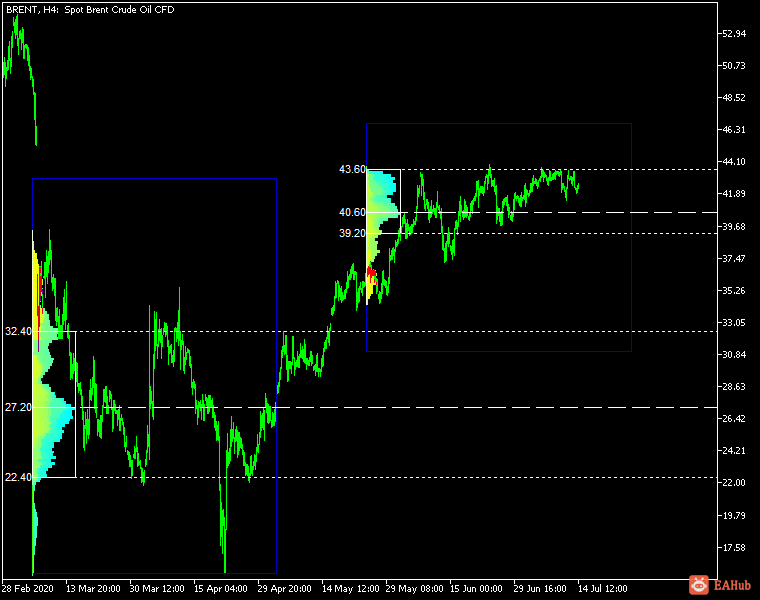
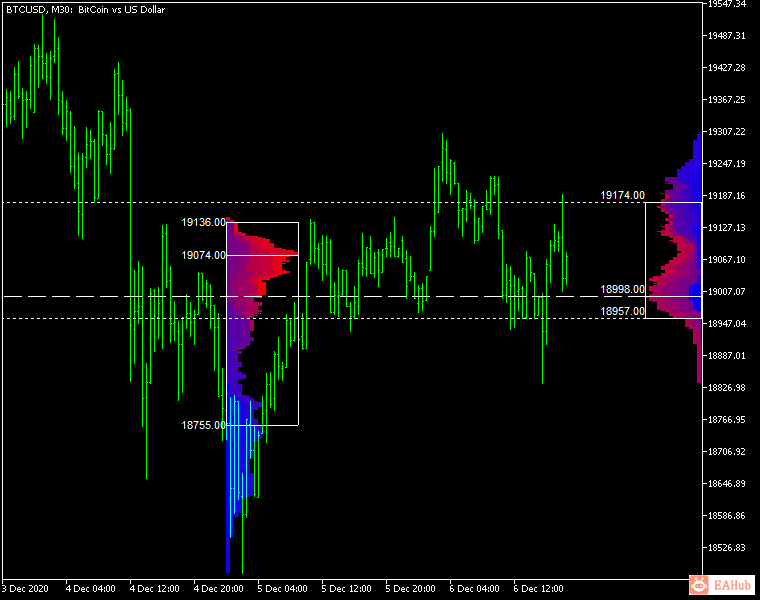
闪电-激光K线(订单流) 指标——是一款经典的市场概况指标;它可以显示不同时间的价格密度,并绘制最重要的价格水平、值区和指定交易时段的控制值。这项指标可以用于 M1 和 D1 之间的时间周期,还可以显示日线、周线、月线甚至是日内时段的市场概况。时间周期更短,则准确性更高。您也可以使用自由绘制的矩形时段在任何时间周期上创建自定义市场概况。时间周期更长,则可视性更佳。可选用 6 种不同的颜色方案来绘制市场概况的图块。市场概况可以被绘制为纯色直方图。或者,您可以选择根据看涨/看跌蜡烛图来设置概况颜色。这项指标基于大致的价格行为,不采用任何标准 MetaTrader 指标。输入参数主要参数Session(默认 = Daily)— 市场概况的交易时段:每日、每周、每月、日内和矩形。对于要计算的矩形时段,矩形图表对象须取名为“MPR<something>”才能添加至图表中。StartFromDate(默认值 = __DATE__)— 如果 StartFromCurrentSession 为 false,则指标将从此日期开始绘制曲线。从当前日期向之前的日期绘制。例如,如果设置为 2016-01-20,而且 SessionsToCount 为 2,则将绘制 2016-01-20 和 2016-01-19 的曲线。StartFromCurrentSession(默认值 = true)— 如果为 true,则指标从当日开始绘制,否则就从 StartFromDate 中给定的日期开始。SessionsToCount(默认值 = 2)— 绘制市场曲线时对应的交易期数。EnableDevelopingPOC (default = false) — if true, multiple horizontal lines will be drawn to depict how the Point of Control developed through the session.ValueAreaPercentage (default = 70) — a percentage share of the session's TPOs to include in the Value Area.
SingleColor (默认 = clrBlue) — 如果 ColorScheme 被设为 Single_Color,这个颜色将被用来绘制市场概况。ColorBullBear (默认 = false) — 如果为true,概况图块的颜色并不取决于原始烛图的时间值,而是取决于朝向。MedianColor(默认值 = clrWhite)— 控制值(中间值)的颜色。ValueAreaSidesColor (默认值 = clrWhite) — 值域侧边框的颜色。ValueAreaHighLowColor (默认值 = clrWhite) — 值域顶部和底部边框的颜色。MedianStyle (default = STYLE_SOLID) — the Point of Control (median) line style.MedianRayStyle (default = STYLE_DASH) — the Point of Control (median) ray line style.ValueAreaSidesStyle (default = STYLE_SOLID) — the style of the value area side borders.ValueAreaHighLowStyle (default = STYLE_SOLID) — the style of the value area top and bottom borders.ValueAreaRayHighLowStyle (default = STYLE_DOT) — the style of the value area top and bottom rays.MedianWidth (default = 1) — the Point of Control (median) line width.MedianRayWidth (default = 1) — the Point of Control (median) ray line width.ValueAreaSidesWidth (default = 1) — the width of the value area side borders.ValueAreaHighLowWidth (default = 1) — the width of the value area top and bottom borders.ValueAreaRayHighLowWidth (default = 1) — the width of the value area top and bottom rays.ShowValueAreaRays(默认 = None)— 可设置为将值域的最高价与最低价显示于图表右侧。可以设置为“前一个时段”、“当前时段”、“前一个及当前时段”、“所有之前时段”或“所有时段”。ShowMedianRays (默认 = None) — 可设置为将中值显示于图表右侧。可以设置为“前一个时段”、“当前时段”、“前一个及当前时段”、“所有之前时段”或“所有时段”。RaysUntilIntersection (默认值 = Stop_No_Rays) — 定义中值和值域线在触及下一个交易时段的价格范围时被切断的方式:Stop_No_Rays — 值域线在任意位置都不会被切断。Stop_All_Rays — 所有值域线均在与另一个时段的价格交叉时被切断。Stop_All_Rays_Except_Prev_Session — 除了上一个时段的值域线以外,所有值域线均在与另一个时段的价格交叉时被切断。Stop_Only_Previous_Session — 只有前一个时段的值域线会在与另一个时段的价格交叉时被切断。
TimeShiftMinutes(默认 = 0)— 用于切换时段,以分钟为基础。正值将时段起点向左移;负值——向右移。ShowKeyValues (默认 = true) — 如果为true,值域最高价、值域最低价及控制点将显示于市场概况的左侧。KeyValuesColor (默认 = clrWhite) — 值域最高价、值域最低价和控制点的输出颜色。KeyValuesSize (默认 = 8) — 值域最高价、值域最低价和控制点的输出字体大小。ShowSinglePrint (默认 = 否) — 可以设为“左侧”或“右侧”,并将标记单个打印概况(市场概况的一部分,仅一个TPO宽)。SinglePrintRays (default = false) — if true, single print edges are marked with rays.SinglePrintColor (默认 = clrGold) — 当ShowSinglePrint未设置为“否”时,单个打印标记的颜色。SinglePrintRayStyle (default = STYLE_SOLID) — the single print ray line style.SinglePrintRayWidth (default = 1) — the single print ray line width.ProminentMedianColor (默认 = clrYellow) — 当ProminentMedianPercentage设为 100或更低值时,突出中值(PPOC)的颜色。ProminentMedianStyle (default = STYLE_SOLID) — the style for the prominent median (PPOC) if ProminentMedianPercentage is set to 100 or less.ProminentMedianWidth (default = 4) — the width for the prominent median (PPOC) if ProminentMedianPercentage is set to 100 or less.RightToLeft (默认 = false) — 如果为true,则当前交易时段市场概况的直方图将从右向左绘制。如果时段设为矩形,则所有时段的市场概况将从右向左绘制。



 发表于 2026-8-21 22:48:00