|
|
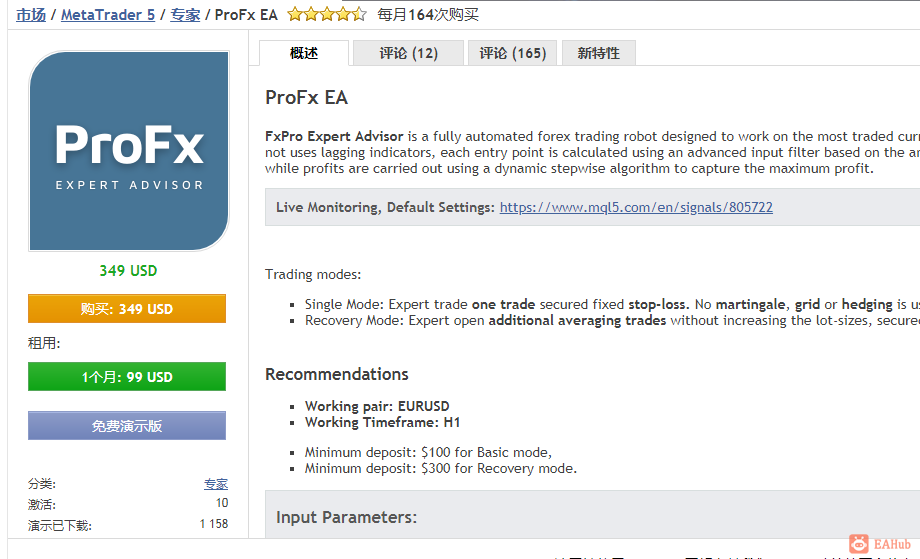
ProFx EA
FxPro Expert Advisor is a fully automated forex trading robot designed to work on the most traded currency pair EURUSD H1. The strategy based on breaking through price levels and does not uses lagging indicators, each entry point is calculated using an advanced input filter based on the analysis of the movement of the price chart. Each order is secured by a fixed stop-loss while profits are carried out using a dynamic stepwise algorithm to capture the maximum profit.
Live Monitoring, Default Settings: https://www.mql5.com/en/signals/805722
Trading modes:
Single Mode: Expert trade one trade secured fixed stop-loss. No martingale, grid or hedging is usedRecovery Mode: Expert open additional averaging trades without increasing the lot-sizes, secured fixed stop-loss
RecommendationsWorking pair: EURUSDWorking Timeframe: H1
Minimum deposit: $100 for Basic mode,Minimum deposit: $300 for Recovery mode.
Input Parameters:
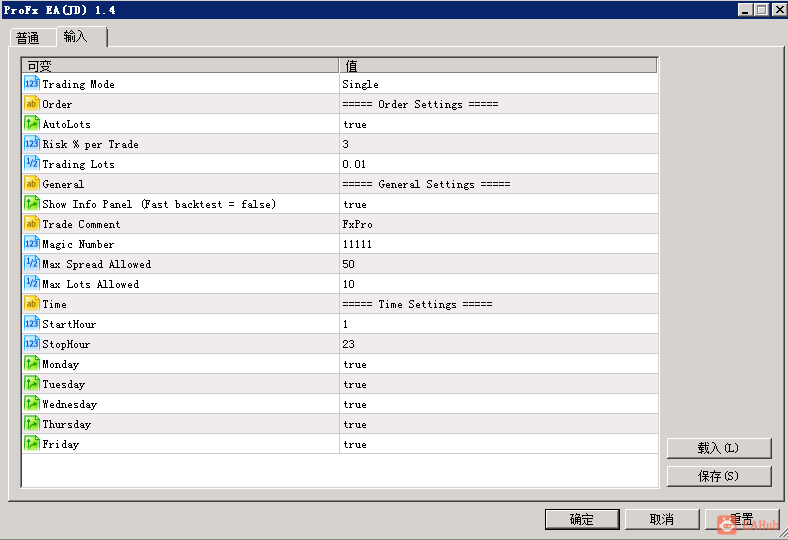
Trading ModeSingle: Expert trade one trade secured fixed stop-loss. No martingale, grid or hedging is usedRecovery: Expert open additional averaging trades without increasing the lot-sizes, secured fixed stop-loss
Order SettingsAutoLots - automatic percentage calculation and of the lot size based or risk and stop-lossRisk % per Trade - maximum risk per trade for calculation of the auto lot size.Lots - fixed lot mode. A suitable value of 0.01 for a deposit of $ 100
General SettingsShow Info Panel - enable/disable the Info-Panel in the chart. For fast backtest set to: falseTrade Comment - comment for EA's ordersMagic Number - unique magic number
Single-mode SettingsStop-Loss Pips - fixed stop-loss per order in pipsProfit-Target Volume - profit-target volumeDay Close - If true, Expert will close open order at close day hour in the time settingsStop-Trading for the Day after x Loss Trades - value in trades, when the Expert stop open new orders for the current dayTrailing-Stop Pips
Recovery-mode SettingsDistance Pips - the distance in pips between the averaging ordersMaximum Orders - allowed maximum averaging ordersStop-Loss Pips - fixed stop-loss per order in pipsProfit-Target Volume - profit-target volumeClose Day - If true, Expert will close open order at close day hour in the time settingsStop-Trading Day after x Loss Trades - when EA will stop trading for the current day- Disable=0Trailing-Stop Pips - when to start the trailing stop
Trade SettingsMax Spread Allowed - maximum allowable spread. 10 = 1 pipMax Lots Allowed - maximum allowable lots to trade.
GMT Time SettingsStartHour - start hour to tradeStopHour - end hours to trade
Monday - enable or disable trading on MondayTuesday - enable or disable trading on TuesdayWednesday - enable or disable trading on WednesdayThursday - enable or disable trading on ThursdayFriday - enable or disable trading on Friday
Close Day Hour - the hour when EA close open orders at the end of the day.Exit Friday Hour - the hour when EA close open orders on Friday.Exit Friday Minutes - minutes when EA close open orders on Friday
Broker GMT Offset - Add your forex broker server time GMT offset. Required for calculating the time settings. start, end hour, news, day close, etc.
News SettingsEnable News Filter - If enabled, EA will not open new orders on eventsAuto Currency of News - If enabled, EA will automatically detect news of the traded pair.CurrencyNews - filter new for single currencies, EUR,USD,AUD,CHF,NZD etc. Not required if Auto Currency of news is enabled.Pause Before News (minutes) - pause for new orders before events in minutesPause After News (minutes) - pause for new orders after events in minutesHigh Impact News - if true, no new orders will open on High-Impact EventsMedium Impact News - if true, no new orders will open on Medium-Impact EventsLow Impact News - if true, no new orders will open on Low Impact Events
You must allow requests to https://mql5.com. MT4 Terminal: Tools -> Options -> Expert Advisors -> Allow WebRequest for listed URL: https://www.mql5.com
MetaTrader 4 version: https://www.mql5.com/en/market/product/52407
 |
|



 发表于 2026-8-11 09:12:59
